

Can one phone system handle multi-clinic urgent-care growth?
August 13th, 2026
4 min read
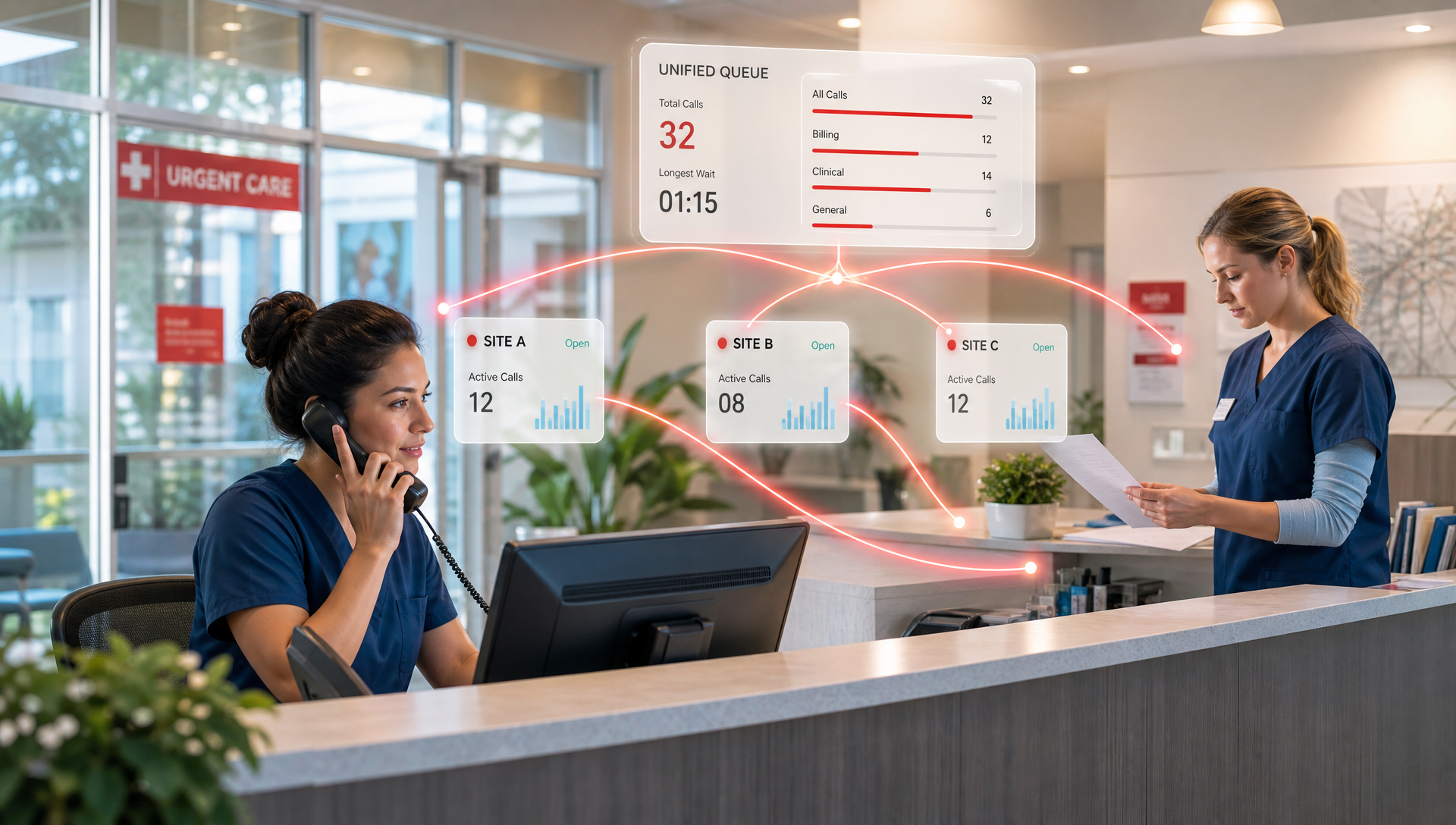
Yes, if it is built to route calls, overflow after-hours traffic, and keep each site on the same playbook. For a clinic manager, the Monday-morning change is simple: fewer missed calls, less front-desk chaos, and one place to manage how every location answers the phone.
When a group adds a second, third, or tenth site, the phones are usually the first thing to crack. One clinic is fine with a shared cell phone and a busy front desk. Three clinics, a weekend schedule, and a steady stream of refill, transfer, and appointment calls turn that setup into noise. We have seen that pattern across urgent-care deployments, especially when growth happens faster than staffing.
The question is not whether you can buy more lines. It is whether your phone system can stay organized when the practice adds locations, hours, and call volume without making the front desk pay for every new clinic with more manual work.
What breaks first when urgent care adds another clinic?
The first failure is usually routing. Calls land in the wrong place, ring too long, or get sent to a site that is already helping patients at the window. Then after-hours calls start piling up, and whoever is on duty is stuck choosing between the lobby and the phone.
The second failure is consistency. One site handles call backs one way, another site does it differently, and no one can tell if the same patient got two different answers from two different locations. That is where missed calls turn into missed appointments, and the back office spends time untangling what should have been a clean handoff.
For a growing urgent-care group, the real cost is not the line item for phones, it is the staff time lost to inconsistent call handling. A unified system reduces that drift because the rules live in one place instead of being recreated clinic by clinic.
What does a scalable setup actually look like?
A scalable setup starts with one cloud phone system that can see every clinic as part of the same network, while still keeping each location distinct. That means location-based routing, shared directories, centralized admin control, and call overflow rules that do not depend on one manager remembering a workaround.
In practice, the setup usually needs four pieces:
- One main phone platform for all locations
- Location-aware call routing so patients reach the right site or backup queue
- After-hours handling that catches calls when the front desk is closed
- AI Receptionist coverage for common questions, overflow, and scheduling capture
That last piece matters. AI Receptionist can answer routine questions, route callers, and help with appointment-related calls when your team is busy or closed. For a multi-clinic urgent-care group, it gives you one consistent front door across every site instead of a different answer at each location.
How does this work when the group is growing fast?
Growth usually comes in waves. A practice opens one clinic, then another, then picks up a few urgent-care acquisitions, and suddenly the old phone setup is a patchwork. That is when a cloud system earns its keep, because you can add sites without redesigning the whole calling process.
Here is the difference between a single-site setup and a multi-clinic setup:
| Need | Single clinic | Multi-clinic urgent care |
|---|---|---|
| Call routing | Straight to the front desk | Route by clinic, hours, or overflow rules |
| After-hours calls | Voicemail or a manager's cell | AI or centralized coverage across all sites |
| Scheduling calls | Handled ad hoc | Standardized intake and escalation path |
| Reporting | One location's view | Group-wide visibility |
| Expansion | New number, new habits | New clinic added to the same system |
That last row is the point. Expansion should feel like adding a site, not rebuilding the phone stack.
When we have deployed urgent-care communications for multi-location groups, the strongest result is not fancy features. It is a calmer front desk. In one 4-location urgent-care group with about 30 staff, we set up shared routing, after-hours overflow, and AI Receptionist coverage so every site followed the same call rules. The team knew where the call went, who owned it, and what happened if nobody was free at that exact moment.
What should an IT director look for before approving it?
If you are the IT person, the first check is control. You want one admin console, clear location permissions, and a way to standardize call flows without touching every clinic one by one. That matters more than a long feature list.
You also want to know whether the platform can support growth without creating a mess at the back end. Look for:
- Central management for users, numbers, and ring groups
- Clear call routing by location and hours
- Mobile access for providers and managers who are not at a desk
- A clean handoff path when the front desk is busy
This is where TeleCloud fits the urgent-care use case. We build around the realities of clinic growth, shared staffing, and the need to keep patient calls moving when the lobby gets busy. The goal is not just a phone system. It is a communications backbone that keeps the group from adding chaos every time it adds a new site.
When is one phone system not enough?
A single platform still has limits. If each clinic runs as a fully separate business with different staffing, different call flows, and no desire to standardize anything, a shared setup will feel forced. The same is true if the group wants each site to act like a totally independent island with its own tools and no shared administration.
Even then, most growing urgent-care groups still benefit from a common core. You can keep local differences where they matter, while standardizing the parts patients feel first: call answer time, overflow handling, and how quickly they reach the right person.
What to put in place before the next clinic opens
If your group is adding sites this year, the phone project should happen before the ribbon cutting, not after the first missed call. Decide how calls should route, what happens after hours, and who owns overflow when one clinic is slammed and another is quiet.
The best time to fix this is before growth exposes the gaps. That way, every new clinic plugs into the same communication plan instead of inventing its own one.
If you want help thinking through that setup, use TeleCloud's urgent-care communications approach as the model, and ask for a low-pressure review of how your current call flow would behave at two more sites.
FAQ
Can one phone system really handle multiple urgent-care locations?
Yes, if you use TeleCloud's urgent-care communications setup with location-based routing, centralized administration, and shared overflow rules. The key is not just having more lines, it is having one system that can treat each clinic as part of the same network.
How does AI Receptionist help a growing urgent-care group?
TeleCloud's AI Receptionist can answer common questions, route callers, and handle routine overflow when the front desk is busy or closed. That gives your team a consistent first response across every clinic.
Do we need a separate phone setup for each clinic?
Usually not. A single cloud system is easier to manage, easier to standardize, and better for reporting, especially when the group expects to keep growing.
What should we fix first if our current setup is messy?
Start with call routing and after-hours handling. If those two pieces are inconsistent, everything else gets harder, including scheduling capture and front-desk workload.
Is this only for large urgent-care chains?
No. Even a group moving from one location to three can feel the strain quickly. The earlier you standardize the phone system, the less cleanup you need later.
Damon Finaldi is the President of TeleCloud, where he leads the company's strategic direction after two decades in telecommunications, including hands-on stints in cable installation, sales, and operations. He's driven by one goal: making sure every TeleCloud client gets the kind of service that keeps them a customer for life. Read Damon's full bio or reach out directly to learn more.
