

Cloud Phone System

Intelligent Communications. Drive Results.

One business number on the desk phone, the mobile app and the web phone. Installed, trained and supported by our local team in New Jersey.

Talk to an Expert See Pricing
New customer, main lineRinging your team on every deviceIncoming

Pick where you'd answer.

What Changes When You Switch

Your phone system should move your business forward, not hold it back.

Your current system
TeleCloud
Cost
Maintenance fees and hidden charges keep adding up.
Predictable pricing with no hidden fees.
Missed calls
Calls slip through the cracks and wait times grow.
Call routing and voicemail to email get every caller to the right person.
The system itself
End of life, hard to support and not built for how you work now.
A modern cloud system that's simple to use and kept up to date for you.
Where you work
Tied to the desk phone in the office.
Your business number on the desk phone, the mobile app or the web phone.
Growing
Adding a line means a project.
Add or remove lines as your team changes, in the office or remote.
Support
A ticket queue, somewhere.
A local team that installs it, trains you and picks up when you call.

Everything Your Team Needs, in One System

Pick a tool to see how it works.

Every call reaches the right person.

Set the rules once and calls find the right person: the front desk first, a backup group if no one picks up, and voicemail to email when it's after hours.

Ring groupsAuto attendantVoicemail to emailBusiness hours rules
Main line routingLive
1Main linePress 1 for sales, 2 for service
↓
2Front desk rings first3 people, for 20 seconds
↓
3No answerRings the backup group
☾After hoursAI Receptionist or voicemail to email
Example rules

Change how your phones work, without a service call.

The user portal is where you run the phone system: add a user, change business hours, update the auto attendant, adjust a call queue or swap the hold music. Each person can also set their own answering rules, greetings and voicemail.

UsersAuto attendantsBusiness hoursCall queuesHold music
User PortalExample
UsersAdd, remove or change a user
Front desk, ext. 100Desk phone and mobile appEdit
Office manager, ext. 101Desk phone, mobile app and web phoneEdit
Ring my mobile when my desk phone ringsAnswering rule, ext. 101
New hire, ext. 105Ready to set up+ Add user
Main menuWhat callers hear and where each key goes
1SalesSales queue
2BillingBilling queue
0Front deskExt. 100
Greeting"Thanks for calling. For sales, press 1."Record new
Front desk queueWho answers, and for how long
Ring strategyEvery agent rings at onceRing all
Agent A
Agent B
Agent COut today
No answer after 2 minutesVoicemail
Business hoursCalls route by the time of day
Monday to Friday8 am to 5 pm
Saturday9 am to 1 pm
Closed for the holidayThanksgiving, all day
After hours, calls go toAI Receptionist
Music on holdWhat callers hear while they wait
0:21
Holiday hours announcementYour own recordingPlaying
Play messages between the music
Add a recording+ Upload
Change it yourself any time, or call our local team and we'll do it for you.

Your business line, on your cell.

TeleCloud Pro puts your business number on your phone: take and make calls, read voicemails as text, see missed calls and move a call from your desk to your mobile.
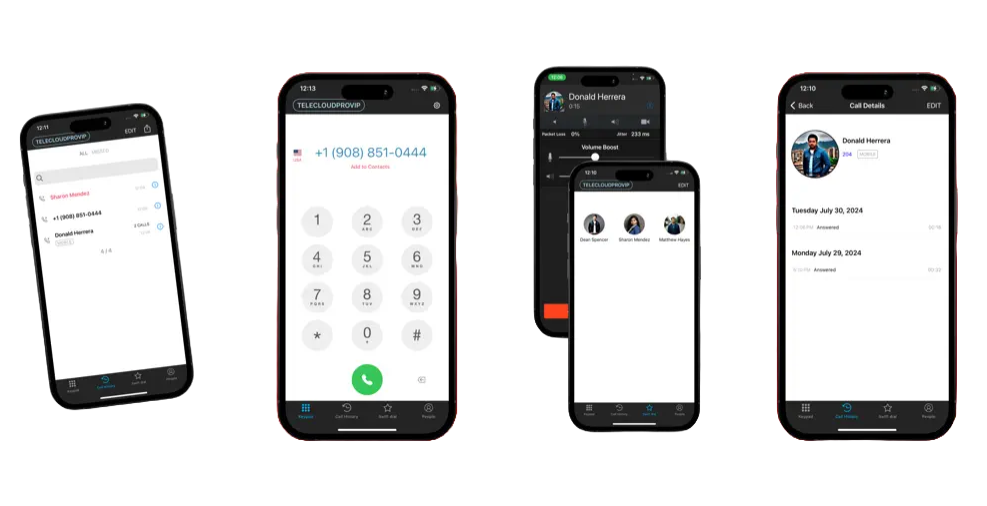

Voicemail to textMissed callsDesk to mobile handoff
More about the mobile app →
Mobile App Transparent
app-store-badge-blackgoogle-play-badge-trimmed

See every call in the queue.

The monitor board shows every queue live: calls waiting, who is free and what has been handled. Add abandoned call logs, call recording, coaching and reporting.

Call queuesCall recordingAbandoned call logsReporting
More about the call center →
Call Center Monitor Board
Call volume15
Active calls1
Calls waiting0
Abandoned1
Calls handled13
Call queueWaitingAgents freeHandled
Front desk0411
Sales032
Billing020
Agent A, on a callAgent B, availableAgent C, availableAgent D, offline

Text customers from your business number.

TextView lets your team text from your business number, on the web or the app, with shared conversations, canned responses and reminders.
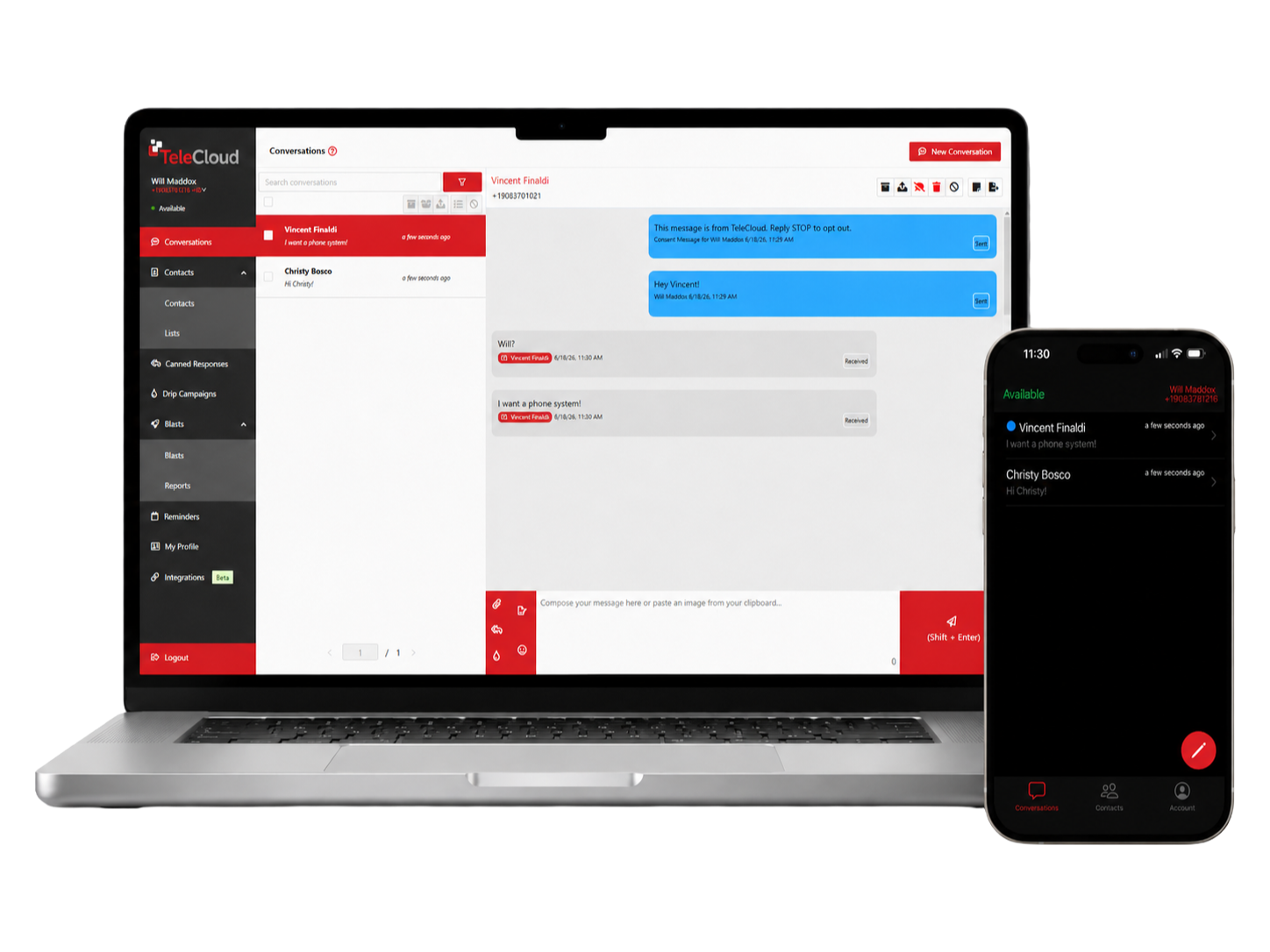
Business textingCanned responsesRemindersWeb and mobile
More about business texting →
TeleCloud Textview

Your phones and your CRM, connected.

Click to dial from your CRM, log every call automatically and attach call recordings to the customer's profile.

Click to dialAutomatic call logsRecordings on the profile
More about CRM integrations →
crm-logos

Want to know what happens on those calls? That's TeleCloud Sentinel →

Is TeleCloud the Right Fit for You?

We know we’re not the perfect fit for every business and that’s okay. Our goal is to help you find the right communication solution, whether it’s with us or not.

Check

Your Business Phones Matter

Check

You Have Essential Technology Requirements

Check

You are Frustrated with Your Current Provider

X

You Have Minimal Communication Requirements

X

You Do Not Require a VoIP Platform to Manage Your Calls

X

You are Happy with Your Current Telecom Provider

What Our Clients are Saying

How We Make It Easy to Get Started

1Let's talk20 minutes

We listen, learn about your business and see if we're the right fit.

2Discovery60 minutes

We uncover your goals, challenges and timeline.

3Alignment30 to 60 minutes

We recommend the solution that solves your problems and hits your outcomes.

4Launch30 minutes

We prepare you and our team to work together.

Common Questions We Get

How long does installation take?

Can I use my existing phone numbers and hardware?

Can I customize the features in my cloud phone system?

How reliable is a cloud phone system compared to a traditional phone line?

What support is available if my team needs help with the system?

Smarter Communication Starts Here.